How to Set Up a Home Office
You need an adjustable chair, a desk big enough for your kit, a screen you can raise to eye level (with a separate keyboard and mouse if it's a laptop) and good light. Set them up in that order, chair first: the HSE's guidance puts your keyboard just below elbow height and the top of your screen level with your eyes, about an arm's length away. If you work for an employer, they may have to assess your set-up and provide what you need.
 By Shaunagh Rogers
Updated 18 November 2026
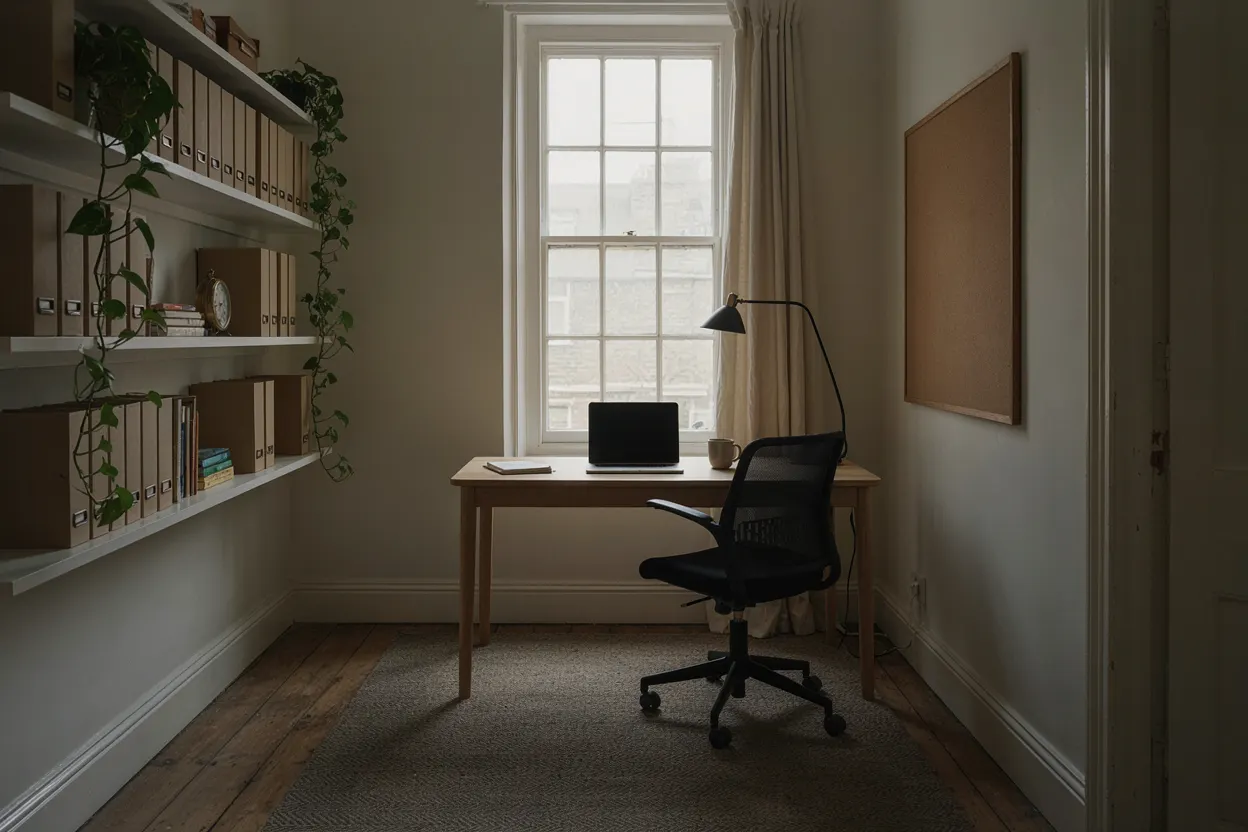
What you need, in order
- A chair that adjusts. The HSE asks for a seat height that supports the front and back of your thighs equally, a 2 to 3cm gap behind your knees, and support for your lower back. Our office chairs guide leads with what adjusts on each.
- A desk big enough for your kit. Measure the space and what goes on it: 120cm wide takes one monitor and a laptop, and 60cm deep usually leaves room for the keyboard in front of one monitor. Our home office desks guide has a plain desk, one with drawers and a small one; our standing desks guide has electric desks that go from sitting to standing height.
- The screen at eye level. Top of the screen level with your eyes, about an arm's length away. A monitor arm sets both and frees the desk.
- A separate keyboard and mouse, if you use a laptop, so its screen can go up to eye level (see the laptop section below).
- Light, a socket and a signal. Daylight from the side and a desk lamp for dark afternoons, sockets within reach, and a spot your Wi-Fi reaches (or a cable to the router).
- Warmth. If the room's cold, warming your feet costs less than heating the room: our under-desk heaters guide runs from a heated footrest at under 1p an hour.
- Breaks and a way to move. For regular screen users, the HSE says employers must plan work so there are breaks or changes of activity. At the desk, a standing desk lets you change position, and a walking pad under it lets you walk while you work.
Setting up your desk
The HSE's guidance on good posture, at home or in an office:
- Top of the screen level with your eyes, about an arm's length away.
- Keyboard just below elbow height, and the mouse in line with your elbow.
- Shoulders relaxed, sitting high enough that you don't shrug.
- Seat height supporting the front and back of your thighs equally, or a cushion to raise you, and the back of the seat supporting your lower back.
- Screen and keyboard straight in front of you, so you don't twist.
Three things the HSE's checklist adds: chair arms can stop you getting close enough to the desk; anything stored under the desk should come out so your legs fit; and if your feet aren't flat on the floor, a footrest may be needed.
To work out the heights for you, measure your elbow and eye heights and use our desk height calculator: it tells you how much to raise your seat for your desk and where the top of your screen should sit.
Where to put the desk
Put the desk side-on to a window if you can, so daylight falls across the screen rather than on it or straight behind it. Then check for glare: the HSE's workstation checklist suggests holding a mirror in front of the screen to see where reflections come from, and moving the screen or the desk, or shielding the screen, if they're a problem. Blinds you can adjust help; it says vertical slats can suit screens better than horizontal ones.
- Light: you should be able to control it, with blinds or a switch. A desk lamp helps in a dim room, as long as it doesn't glare off the walls or the screen.
- Sockets: put the desk near them, so the screen, laptop and any heater plug in without leads across the floor. Plug a heater straight into a wall socket, not an extension lead.
- Room to move: the HSE's checklist asks for space to move, stretch and fidget. Leave room behind the desk to pull the chair out.
- Quiet: a room with a door if you take calls, away from the television and the kitchen if you can.
- Cables: tidy, and not a trip or snag hazard.
- Things you use often within reach; a printer or files you use once a week can live elsewhere, which frees the desk.
A laptop and a monitor
A laptop on its own puts the screen too low or the keyboard too high: you can't set both. Use a separate keyboard and mouse, as the HSE suggests, so the laptop can go up on a riser, or add a separate screen. Put the screen you use most straight in front of you at eye height, and the raised laptop to one side as a second screen for things you glance at, or close the laptop and use the monitor alone. A monitor arm with a laptop tray holds both on one post (£25 to £60).
A small room or a bedroom
You don't need a big desk. The small desk in our home office desks guide is 80 x 50cm: room for a laptop, or one monitor with the keyboard in front of it. At 50cm deep, a monitor sits closer than on a 60cm desk, so a monitor arm clamped to the back edge lets you push it back, if its clamp fits the top. In a bedroom, work at a desk and a proper chair rather than on the bed: the heights above still apply. At a dining or kitchen table, check its height with the calculator and raise yourself with a cushion if you need to, with a footrest if your feet then leave the floor.
What it costs
In our price bands, from the guides linked above: an adjustable office chair from under £100; a small desk under £50, or a desk with drawers £50 to £100; a monitor arm under £25; and a heated footrest that costs under 1p an hour to run. Add a keyboard and mouse if you use a laptop. Spend on the chair first: it's the piece you set everything else to.
If you work for an employer
The HSE says the Display Screen Equipment Regulations can apply to people who work at home long-term or routinely split their time between home and the workplace, if they use a screen daily for continuous periods of an hour or more. Where they apply:
- Your employer must assess your workstation; you may be able to do the assessment yourself with suitable training.
- If you ask, they must arrange and pay for an eye test, and pay for glasses if you need special ones just for screen work.
- If the assessment says you need a piece of equipment, you can't be charged for it.
- They must give you training on your workstation, including good posture.
- They must plan your work so there are breaks or changes of activity.
You may not need office furniture at home, the HSE says, but your employer should check your own equipment is suitable. Your employer can also pay you £6 a week tax-free towards your extra household costs if you work from home regularly by agreement; our working from home tax guide covers that and what you can still claim.
Set-up checklist
- Chair: seat height, depth (2 to 3cm behind the knee) and lower back support set.
- Desk: keyboard just below your elbow, adjusting the desk or your seat (with a cushion if you need to go higher).
- Screen: top at eye level, about an arm's length away, straight in front.
- Laptop: separate keyboard and mouse, screen raised.
- Light: no glare on the screen (the mirror test), blinds you can adjust.
- Room: space to move, cables tidy, sockets within reach.
- Warmth: feet first, heater in a wall socket.
- Movement: breaks or changes of activity through the day.
Questions people ask
What do I need for a home office?
An adjustable chair, a desk big enough for your kit, a screen you can set at eye level (with a separate keyboard and mouse if you use a laptop) and good light; then a way to stay warm and a way to move during the day.
How much does it cost to set up a home office?
In our price bands: an adjustable office chair from under £100, a small desk under £50 or one with drawers £50 to £100, and a monitor arm under £25. Add a keyboard and mouse if you use a laptop. Put most of the money into the chair.
How should I lay out my home office?
Desk side-on to the window so light doesn't fall on the screen or straight behind it, near sockets, with room behind to pull the chair out and things you use often within reach. The HSE suggests a mirror in front of the screen to find where reflections come from.
How do I set up a home office in a small space?
A desk 80 x 50cm takes a laptop, or one monitor with the keyboard in front; a monitor arm lets you push the screen back on a shallow desk. Keep the desk for what you use every day and store the rest elsewhere.
How do I set up a laptop and a monitor?
Monitor straight in front of you at eye height; laptop raised beside it on a stand or tray, or closed; a separate keyboard and mouse in front, as the HSE suggests.
How should I set up my desk?
As the HSE puts it: keyboard just below elbow height, mouse in line with your elbow, top of the screen level with your eyes about an arm's length away, and the screen and keyboard straight in front of you.
Does my employer have to provide equipment for working from home?
Where the Display Screen Equipment Regulations apply, the HSE says your employer must assess your set-up, and if the assessment says you need equipment you can't be charged for it. You may not need office furniture at home, but they should check your own equipment is suitable.
Do the DSE regulations apply at home?
The HSE says they can, for people who work at home long-term or routinely split their time between home and the workplace, and who use a screen daily for continuous periods of an hour or more.
Where our facts come from
Official guidance used on this page:
- Good posture when using display screen equipment, HSE (checked 18 November 2026)
- Working with display screen equipment at home, HSE (checked 18 November 2026)
- Display screen equipment (DSE) workstation checklist (CK1), HSE (checked 18 November 2026)
- Eyes and eyesight testing (display screen equipment), HSE (checked 18 November 2026)
- Electrical Safety Advice for Portable Heaters, Electrical Safety First (checked 16 November 2026)
- Expenses and benefits: homeworking: exempt from tax, GOV.UK (checked 18 November 2026)