Best Monitor Arms UK (2026)
We'd choose the ARCTIC X1-3D: a gas-lift arm for screens up to 40in (43in ultrawide) and 10kg, on desks 2cm to 5.5cm thick, with a 6-year warranty. For under £25, Invision's MX200 takes 19 to 32in screens from 2 to 9kg. For a heavy ultrawide, the MX450 holds 15kg; for the wall, VIVO's slide mount; and for a laptop beside the screen, HUANUO's tray arm. Check yours against your screen and desk below.
 By Shaunagh Rogers
Updated 18 November 2026
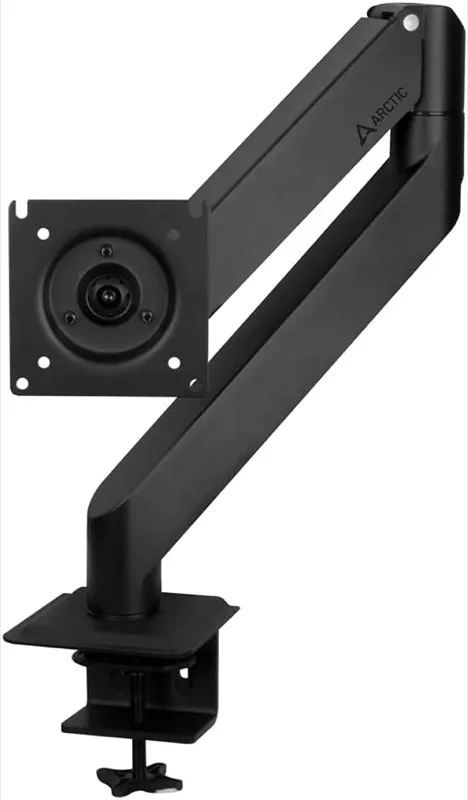
ARCTIC X1-3D
Gas lift, screens to 40in (43in ultrawide) and 10kg; 6-year warranty.
Will it hold your monitor?
- ARCTIC X1-3DWithin every figure we check
- Screen: 27in is within 20 to 40in
- Weight: 6kg is within its 10kg limit (no minimum published)
- Invision MX200Within every figure we check
- Screen: 27in is within 19 to 32in
- Weight: 6kg is within 2 to 9kg
- Invision MX450Within every figure we check
- Screen: 27in is within 24 to 40in
- Weight: 6kg is within 2 to 15kg
- VIVO wall mount MOUNT-VW01AWithin every figure we check
- Screen: 27in is within 17 to 32in
- Weight: 6kg is within its 8kg limit (no minimum published)
- HUANUO monitor arm with laptop tray HNCM2Within every figure we check
- Screen: 27in is within 13 to 32in
- Weight: 6kg is within its 8kg limit (no minimum published)
Price bands are based on Amazon UK prices in November 2026. As an Amazon Associate we earn from qualifying purchases.
The monitor arms we'd choose
ARCTIC X1-3D
- Screens
- 20 to 40in (43in ultrawide)
- Weight
- Up to 10kg
- Mount
- Desk, 2 to 5.5cm thick
- VESA
- 75 x 75 or 100 x 100mm
- Warranty
- 6 years
Suits: One monitor you want to move by hand: gas lift, screens to 40in (43in ultrawide) and 10kg, with a 6-year warranty.
Not for: Desks thinner than 2cm or thicker than 5.5cm, or screens over 10kg.
A handle on the head means you can reposition the screen without tools. It tilts 15° either way, swivels 180° and rotates 360°, and the cables run inside the arm. ARCTIC itself is the seller on Amazon UK.
Worth checking: ARCTIC recommends a stiffening board under the clamp on hollow or honeycomb desks, so the clamp doesn't crush the top.
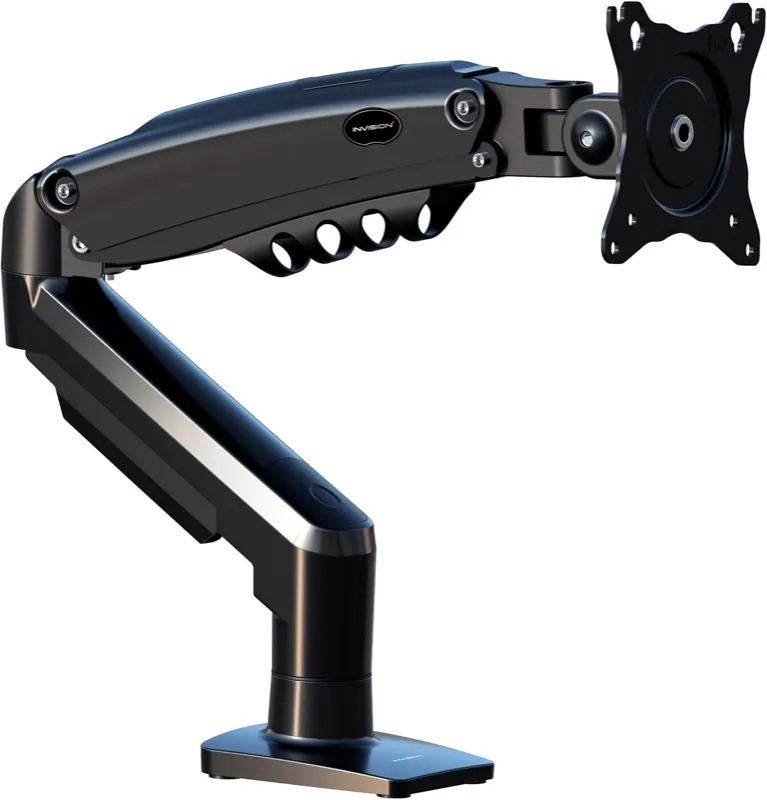
Invision MX200
- Screens
- 19 to 32in
- Weight
- 2 to 9kg
- Mount
- Desk, 2 to 9cm thick
- VESA
- 75 x 75 or 100 x 100mm
- Warranty
- 2 years
Suits: One 19 to 32in monitor from 2 to 9kg, gas-assisted, for under £25.
Not for: Screens over 9kg or 32in, or under 2kg: a gas arm needs enough weight to balance.
It reaches up to 530mm from its post, travels 260mm in height and tilts from +85° to -30°. It clamps to the edge of the desk or goes through a hole in it. Invision itself is the seller on Amazon UK.
Worth checking: The clamp fits desks 2cm to 9cm thick, by Invision's manual.
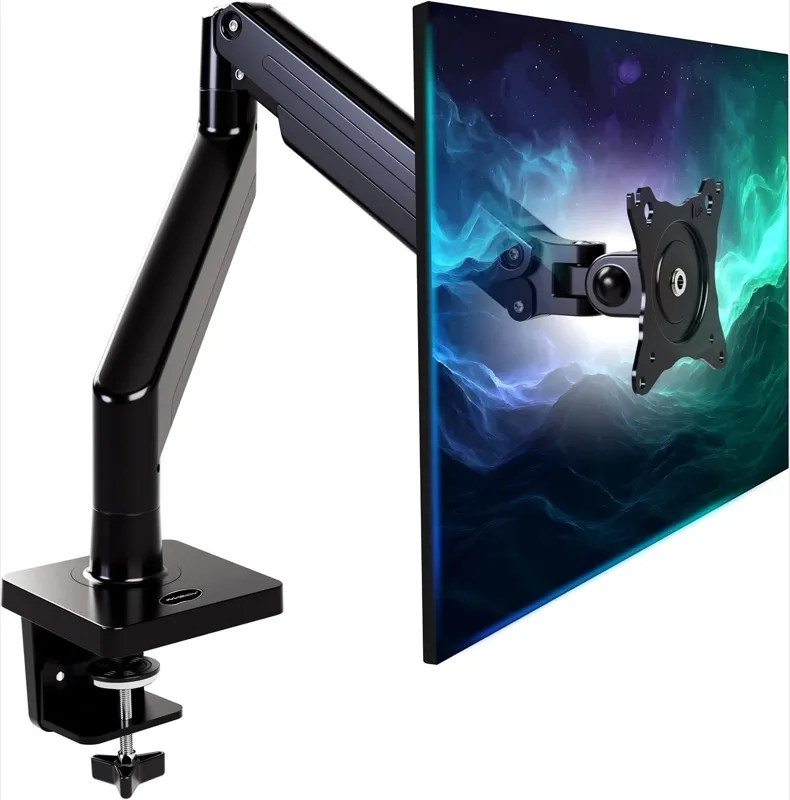
Invision MX450
- Screens
- 24 to 40in
- Weight
- 2 to 15kg
- Mount
- Desk clamp or through the desk
- VESA
- 75 x 75 or 100 x 100mm
- Warranty
- 2 years
Suits: Big screens from 24 to 40in, ultrawides included, up to 15kg, the heaviest any pick here takes.
Not for: Screens under 24in or 2kg.
It's gas-assisted and reaches 630mm towards you. Invision itself is the seller on Amazon UK.
Worth checking: Weigh the screen without its stand, and check the back takes 75 or 100mm VESA screws; curved gaming screens often need an adapter plate.
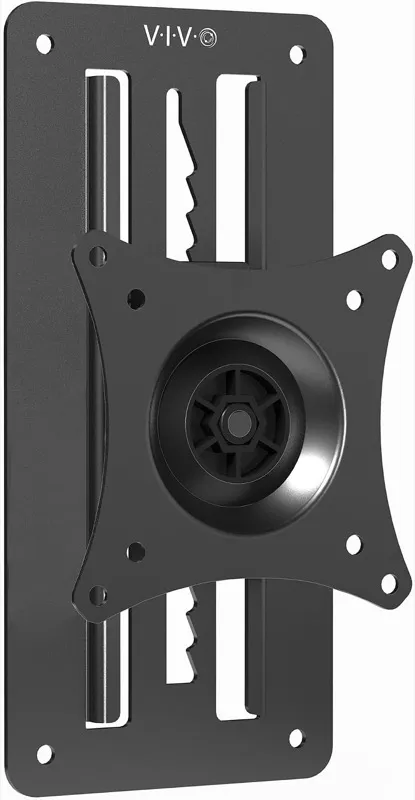
VIVO wall mount MOUNT-VW01A
- Screens
- 17 to 32in
- Weight
- Up to 8kg
- Mount
- Wall
- VESA
- 75 x 75 or 100 x 100mm
- Warranty
- 3 years
Suits: Getting a 17 to 32in monitor off the desk entirely, onto the wall behind it.
Not for: Pulling the screen towards you: it slides up and down on a plate rather than reaching out.
It slides through 16cm of height, tilts 10° either way, swivels 20° and rotates 360°, and sits 5.1cm from the wall. VIVO's manual has you find the studs first, then use its plasterboard anchors where a hole isn't over a stud and a 2.5mm pilot hole, 45mm deep, where it is. It doesn't cover brick or block walls.
Worth checking: VIVO doesn't include fittings for monitors with curved or recessed backs.
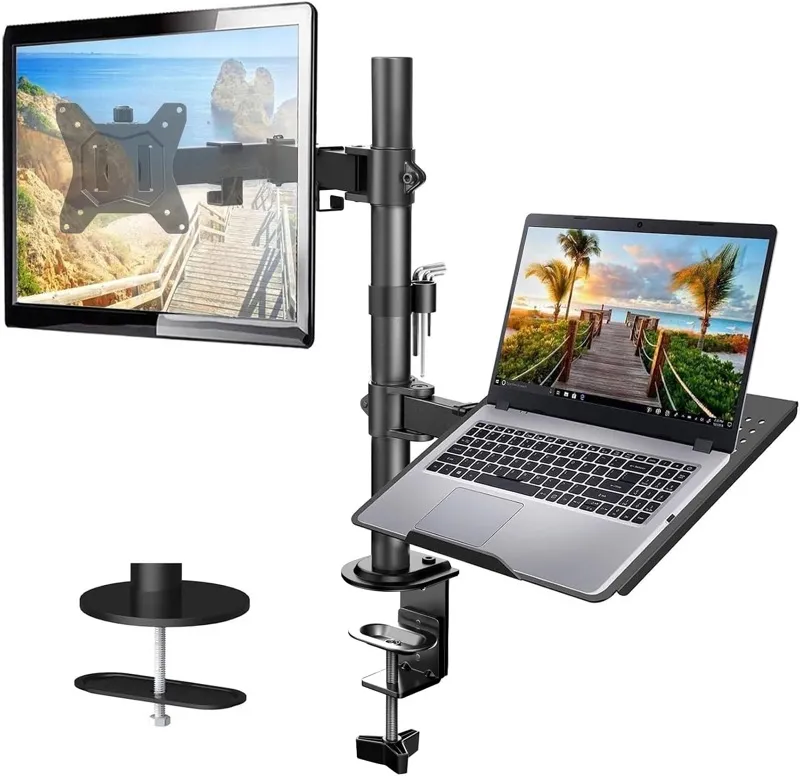
HUANUO monitor arm with laptop tray HNCM2
- Screens
- 13 to 32in
- Weight
- Up to 8kg
- Mount
- Clamp 1 to 8.5cm; grommet 1 to 7cm
- VESA
- 75 x 75 or 100 x 100mm
- Warranty
- Up to 5 years
Suits: A laptop beside one monitor: the tray is 35.5 x 30cm, for laptops up to 17in, on the same post as a monitor arm.
Not for: Changing height often: you set it with the Allen key.
The monitor plate tilts 45° and swivels 90° either way and rotates 360°, by HUANUO's page. HUANUO rates the monitor arm to 8kg.
Worth checking: Raising the laptop puts its keyboard out of reach; you'll want a separate keyboard and mouse at desk height.
Side by side
| Arm | Mount | Screens | Weight | Moves by | Warranty |
|---|---|---|---|---|---|
| ARCTIC X1-3D | Desk | 20 to 40in (43in ultrawide) | Up to 10kg | Gas lift | 6 years |
| Invision MX200 | Desk | 19 to 32in | 2 to 9kg | Gas-assisted | 2 years |
| Invision MX450 | Desk | 24 to 40in | 2 to 15kg | Gas-assisted | 2 years |
| VIVO wall mount MOUNT-VW01A | Wall | 17 to 32in | Up to 8kg | Slides 16cm up and down | 3 years |
| HUANUO monitor arm with laptop tray HNCM2 | Desk | 13 to 32in | Up to 8kg | Tilts and swivels | Up to 5 years |
- means the manufacturer doesn't say. Every arm here accepts 75 x 75mm and 100 x 100mm VESA hole patterns.
Will it fit your desk?
Most arms clamp to the back edge of the desk. Check three things before you buy:
- Thickness: each arm gives the range its clamp fits: 2cm to 5.5cm for the ARCTIC, 2cm to 9cm for the MX200. The check above includes it.
- Room behind: BenQ's buying guide asks for at least 5cm between the desk's back edge and the wall for a clamp. Pushed right against the wall, use a grommet fitting through a cable hole (commonly 6.5cm across) instead; the MX200, MX450, Amazon Basics and HUANUO arms can fit that way.
- What the top is made of: a hollow or honeycomb top can crush under a clamp, and glass can crack. ARCTIC recommends a stiffening board under the clamp on hollow tops; don't clamp or drill glass.
On a standing desk, the arm rises with the top, so the screen keeps its place relative to your keyboard. Check thin desktops carefully: VASAGLE's 140cm storage desk from our home office desks guide lists a 0.7in (about 18mm) top on Amazon, under the 2cm minimum of both the ARCTIC and the MX200; HUANUO's clamp starts at 1cm.
Weight, size and VESA
Weigh the monitor without its stand; the spec sheet usually gives both. Then:
- Stay inside the range, not at its edge. BenQ suggests leaving 1 to 2kg spare at either end, and counting anything you add: a light bar is about 500g and a webcam about 300g by BenQ's figures. A curved screen shifts its centre of gravity forward, so BenQ recommends allowing an extra 2 to 3kg when choosing an arm.
- Size counts as well as weight. Stay inside the arm's screen size range as well as its weight range.
- VESA: every arm here takes 75 x 75mm or 100 x 100mm hole patterns on the back of the screen. Some curved gaming screens, Samsung's G9 among them, need an adapter plate, and an Apple display only mounts if you bought its VESA version.
Gas spring or mechanical?
A gas spring or spring arm holds the screen wherever you leave it once its tension is set to the screen's weight; BenQ says both kinds use a tension screw and there's little difference between them in use. The ARCTIC and both Invisions are gas arms you move by hand. The HUANUO's height is set with an Allen key, which is fine if you set it once. A gas arm needs a minimum weight as well as a maximum: 2kg for both Invisions; ARCTIC gives only the maximum.
Wall mounts
A wall mount clears the desk completely. The VIVO slides up and down on a plate but can't come towards you. For a gas-lift arm that reaches out from the wall (8 to 60cm, by its listing), ARCTIC's W1-3D takes 8kg and, by ARCTIC's own page, screens to 43in (49in ultrawide), with a 6-year warranty; its Amazon listing gives 32in (38in ultrawide) in one line and the larger figures in the next, so go by ARCTIC's page.
Laptop arms and trays
The HUANUO puts a laptop on a tray beside a monitor on one post, which suits a laptop you use as a second screen. To raise a laptop on the desk itself, a laptop stand does the job; that's a different buy.
Ultrawide and heavy monitors
The MX450 takes screens to 40in and 15kg, and the ARCTIC takes ultrawides to 43in up to 10kg. For a 49in super-ultrawide, ErGear's single arm is listed for screens up to 49in and 17kg, but we didn't find a manufacturer page to check it against.
Setting it up
The HSE's guidance on posture at a screen puts the top of the screen level with your eyes, about an arm's length away; our desk height calculator works out the heights. Fit the clamp first, then the arm, then the screen, and set the tension last.
- If the screen sinks or tilts down: tighten the tension screw at the sagging joint; BenQ notes some arms take dozens of turns of the Allen key. If it still sinks, the screen (plus anything on it) is near the arm's limit.
- If it drifts up: loosen the tension; a heavy-duty arm can push a light screen up.
- Leave cable slack so the arm can move without pulling on the connectors.
Brands people ask about
Ergotron's LX takes screens up to 34in and 3.2 to 11.3kg by its listing, but on Amazon UK it was sold by resellers rather than Ergotron when we looked, so it isn't one we chose. Amazon Basics' own arm (DS-MA-E01) is cheaper than the MX200 and takes 13 to 32in screens up to 10kg on desks 1 to 10.8cm thick, but gives no lower weight limit. Duronic's DM351X3, sold by Duronic, stops at 27in. HUANUO's popular FlowLift Pro is listed for 13 to 27in screens but only 2 to 7kg. Two monitors on one post is a different buy: a dual arm.
Red flags on a monitor arm listing
A listing that gives two size limits
ARCTIC's W1-3D wall arm is listed for screens up to 32in in one line and 43in in the next. Check the manufacturer's page.
A size range that hides a low weight limit
The weight decides whether an arm holds a screen. One arm we looked at fits 13 to 27in screens but only 2 to 7kg.
A premium arm from a reseller
When we looked, Ergotron's LX on Amazon UK was sold by resellers, not Ergotron. Check who the seller is before relying on the manufacturer's warranty.
No VESA pattern on your monitor
Every arm here needs 75 x 75mm or 100 x 100mm holes on the back of the screen. Check before you buy the arm.
Questions people ask
What is the best monitor arm in the UK?
We'd choose the ARCTIC X1-3D: a gas-lift arm for screens up to 40in (43in ultrawide) and 10kg, sold by ARCTIC with a 6-year warranty. Under £25, Invision's MX200 takes 19 to 32in screens.
How do I know if a monitor arm will fit my monitor?
Check the screen size, its weight without the stand (inside the arm's range, with a little to spare), and the VESA holes on the back (75 x 75mm or 100 x 100mm for every arm here). The check at the top of this page does the size and weight.
Will a monitor arm fit my desk?
Check the desk's thickness against the clamp range (2cm to 5.5cm for the ARCTIC), leave at least 5cm behind it for the clamp, and avoid clamping glass. On a hollow top, ARCTIC recommends a stiffening board under the clamp.
Is a monitor arm better than a monitor stand?
An arm frees the space under the screen and lets you pull it towards you, push it back and change its height by hand; a stand or riser lifts it to one height. If the screen only needs to sit higher, a stand does that.
Should I get a gas spring or a mechanical arm?
BenQ says both use a tension screw and there's little difference in use once the tension matches your screen. What matters more is that your screen's weight sits inside the arm's range.
How much should I spend on a monitor arm?
The arms here run from under £25 (Invision MX200) to under £60 (the ARCTIC and Invision MX450). Whatever you pay, the fit comes from the size, weight and desk figures, so check those first.
Are monitor arms universal?
Most take the 75 x 75mm and 100 x 100mm VESA patterns, the common ones on monitors; check for four screw holes on the back of yours. Some curved gaming screens need an adapter plate, and Apple displays only mount in their VESA version.
Why does my monitor arm sag or tilt down?
The tension is too low for the screen: tighten the tension screw at the joint that sags. If it still sinks, the screen plus anything on it (a light bar, a webcam) is near the arm's limit.
Can a monitor arm hold an ultrawide?
Invision's MX450 takes screens from 24 to 40in up to 15kg, and the ARCTIC takes ultrawides to 43in up to 10kg. Weigh yours without its stand.
Is a wall mount better than a desk arm?
A slide mount on the wall, like the VIVO, frees the whole desk but keeps the screen at a fixed distance; a desk arm lets you pull the screen towards you and push it back.
Where our facts come from
Specifications are from each manufacturer's own product pages, data sheets, manuals and warranty terms where they publish them, and Amazon listings where we say so, read in November 2026. Official guidance used on this page:
- Good posture when using display screen equipment, HSE (checked 18 November 2026)